Generating articles
Article generation turns a brief into a publication-ready draft. Get a fact-checked article in your tone of voice — the output sounds like you, cites real sources, includes a structured outline with images, and ships with a provenance sidecar so you can audit every claim. Generation typically takes 2–4 minutes.
Starting from a brief
The most reliable way to generate an article is from an existing brief. Open any brief and click Write article from this brief. The brief's thesis, keywords, related own content, and entity data all flow into the article pipeline as research context.
The 8-phase pipeline
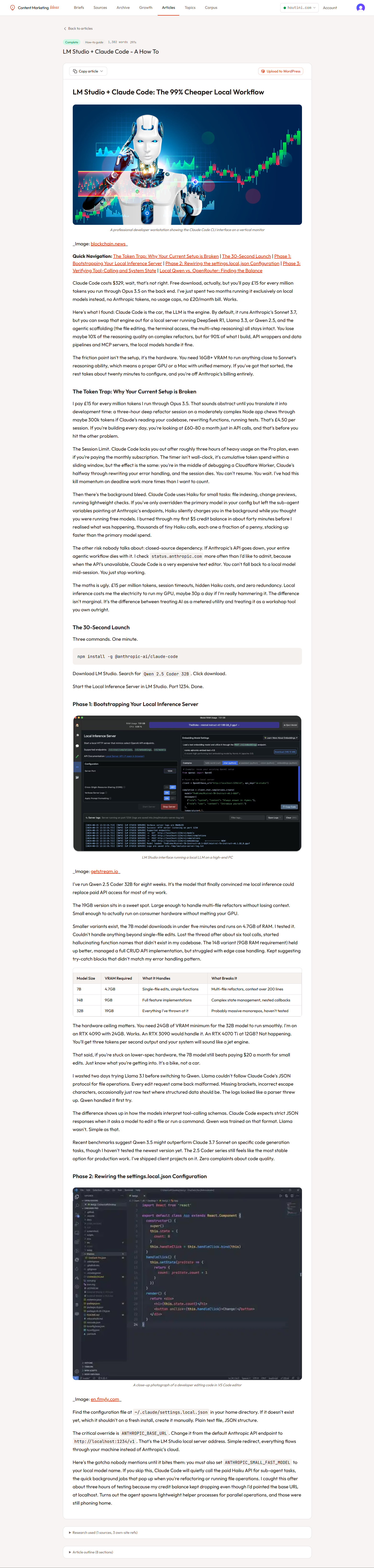
Once queued, the article worker runs through eight phases. You can watch progress on the article detail page — the status updates as each phase completes.
- Research — Scrapes any custom research URLs you provided, plus pulls 5–7 RAG queries against your corpus and external knowledge. Builds a deduped pool of up to 15 reference documents with stable DOC_N identifiers.
- Route — Gemini Flash classifies the article type from the title and keyword: how-to, best-list, explainer, or buyer-guide. Each type gets a different outline template.
- Outline — Generates a section-by-section outline with H2s, key points to cover, target word counts, and which RAG documents inform each section.
- Draft — Claude Sonnet writes each section in turn, using your voice guide as the system prompt. Sections are written sequentially so each one knows what came before.
- Voice check — A second Claude pass reviews the draft against your voice guide, flags drift, and rewrites sections that don't match your tone.
- Fact-check — Gemini extracts verifiable claims (software versions, pricing, dates, capabilities, system requirements, package references) and verifies each one against live Google Search with
grounding=true. High-confidence corrections are applied surgically; uncertain claims are logged for your review. - Images — Brave Image Search fetches a relevant image for each major section. Inserted into the markdown with attribution.
- Finalise — Assembles the final markdown, builds the provenance sidecar (sources, entities with QIDs, Schema.org JSON-LD), calculates word count.
Fact-checking with Gemini grounding
Every generated article runs through a grounded fact-check before it ships. This is the step that keeps versions, prices, release dates, and capability claims honest.
The fact-checker pulls checkable claims out of the draft and sorts them into six categories: software versions, system requirements, pricing, dates and status, capabilities, and package or repo references. Each batch is then sent to Gemini with grounding=true — the model is forced to consult live Google Search results instead of relying on training data, which is where most AI factual drift comes from.
When a claim comes back incorrect with confidence ≥ 0.8 and the original text matches uniquely in the draft, the correction is applied automatically. Ambiguous matches and lower-confidence results are left alone and logged as uncertain so you can eyeball them yourself.
The full fact-check report lives on the article detail page under the voice check metadata. You'll see totals for claims checked, claims corrected, corrections applied, and uncertain claims with their grounded evidence snippets.
Custom articles (without a brief)
You can also generate an article from scratch by clicking New article on the Articles page. You'll need to provide:
- Title — the working headline.
- Target keyword — the primary SEO keyword.
- Article type (optional) — let the router decide, or pin it.
- Custom research (optional) — paste URLs you want the writer to read first, one per line.
- Custom notes (optional) — angle, structure, or "must mention" notes.
Voice matching
The thing that makes articles sound like you is the writing style guide V2 — a ~17KB document built from 16 statistical analysers run over your published content. It captures sentence length distribution, vocabulary frequency, transition patterns, paragraph rhythm, opener and closer styles, hedging language, and more.
The guide is generated automatically when you create a site and refreshed periodically. You don't have to manage it. But the more high-quality content you have published, the better the voice match — which is why the profiler scrapes 8–12 sample pages, not just one.
Reviewing the draft
Once status hits done, click into the article to see:
- The rendered final markdown
- The outline (collapsible)
- Research sources used
- Provenance chain showing which sources back each section's claims
- Word count, generation time, token usage
You can edit the markdown directly in the dashboard before publishing.
Quotas
- Free: No article generation
- Pro: 10 articles/month
- Business: 25 articles/month
- Publisher: 50 articles/month
The Articles page shows a progress bar — green when you're under 70% used, yellow at 70–90%, red above 90%.
Failures and retries
If a phase fails (rate limit, network blip, model error), the article moves to failed status with the error message preserved. Click Regenerate to re-queue from scratch. Failed articles don't count against your monthly quota.