Getting started
From a fresh account to your first editorial brief in under ten minutes. You'll create a site, add a few sources, and let the system profile your writing voice in the background.
1. Sign up
Head to contentmarketingideas.co/sign-up and create an account. The free plan gives you one site, five sources, and weekly briefs — enough to see the system working end to end before deciding whether to upgrade.
2. Create your first site
The first time you land in the dashboard you'll see an onboarding card. Enter your website URL — for example https://your-blog.com — and click Add site.
Behind the scenes, three things happen automatically:
- The site is created and linked to your account.
- Profiler scrapes your sitemap, samples 8–12 representative pages, and asks Gemini to summarise your editorial voice, audience, and core topics.
- Voice analysis runs 16 statistical analysers across your sample content and produces a deterministic ~17KB writing style guide. This is what makes article drafts sound like you.
3. Add your first sources
You'll be redirected to Sources. Paste any URL — a YouTube channel, subreddit, blog, or podcast feed — into the Smart Paste box. The system auto-detects the type and shows you a preview before adding.
Aim for 5–10 sources to start. Mix types: a couple of competitor blogs, an industry YouTube channel, one or two subreddits where your audience hangs out. The full breakdown is in Adding sources.
4. Wait for your first briefs
Once you have at least one source indexed, briefs are generated automatically. On the free plan you'll get a weekly batch on Monday morning. On paid plans, briefs arrive daily.
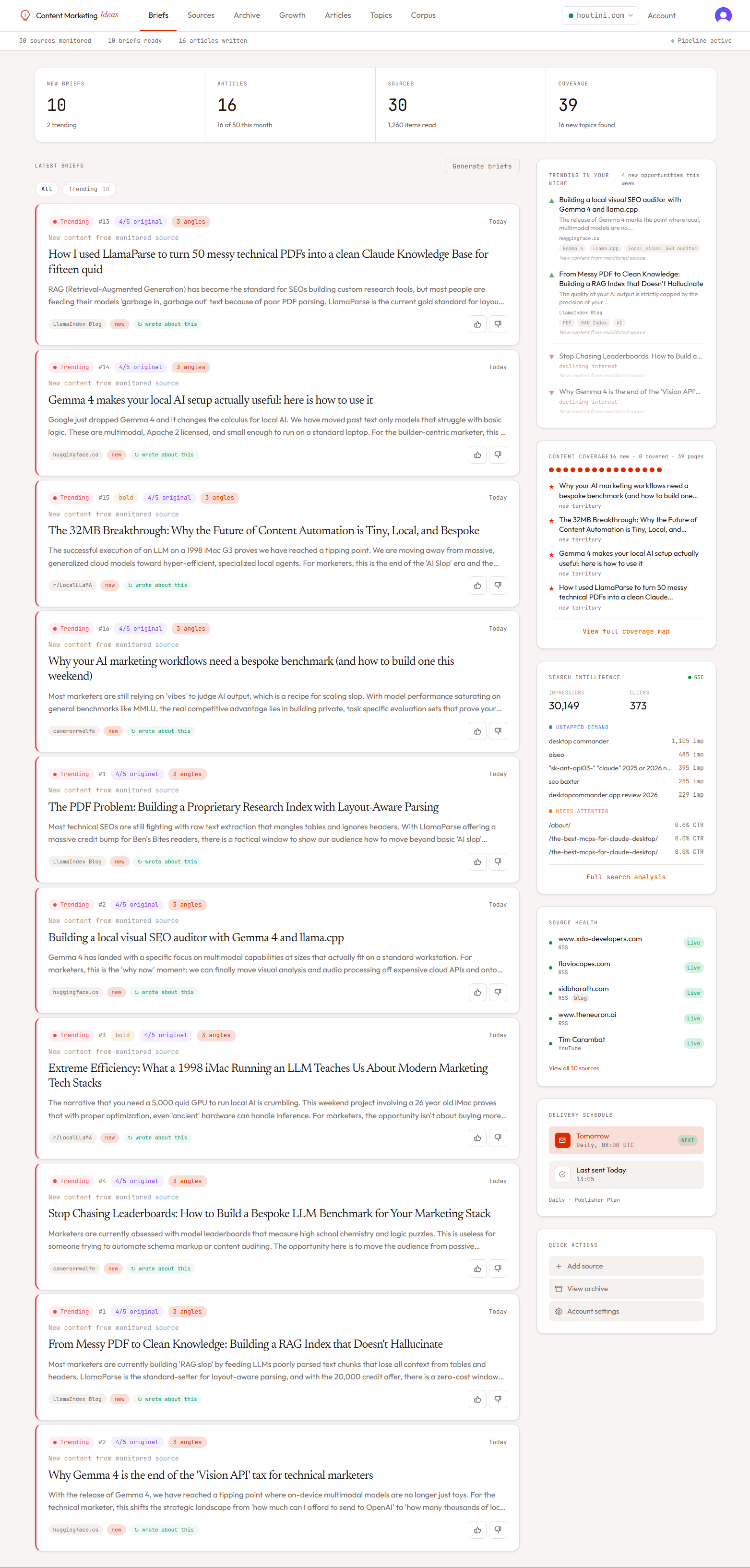
You can also force a run immediately from the empty briefs state on the dashboard — click Generate my first briefs and the pipeline runs end-to-end (ingestion → scrape → synthesis → enrichment → delivery).
5. Connect Google Search Console (optional but recommended)
If your site has GSC data, connecting it unlocks the most powerful parts of the product: declining content detection, quick-win opportunities, and the Topic Explorer's traffic sparklines. See Connecting Google Search Console.