Connecting Google Search Console
Connecting GSC is optional but high-leverage. It unlocks declining-content detection, quick-win opportunities, cannibalisation alerts, and the per-topic traffic sparklines in the Topic Explorer. The whole flow takes about 60 seconds.
1. Open the GSC card on your account page
Go to Account in the dashboard nav. The Google Search Console section is near the top — we put it there because connecting it transforms the rest of the product.
2. Click Connect Google Search Console
This kicks off an OAuth flow. You'll be redirected to Google's consent screen and asked to grant read-only access to your Search Console properties. We never write to GSC and we never request any other Google scopes.
3. Pick the property to link
If you have multiple properties on your Google account, you'll see them listed. Pick the one that matches the site you're working on. Domain properties (sc-domain:yoursite.com) are recommended over URL-prefix properties because they cover all subdomains and protocols.
4. Initial sync
As soon as the OAuth round-trip completes, we run an initial sync that pulls:
- Aggregate data — clicks, impressions, CTR, position for the last 28 days vs the prior 28 days, by query and by page.
- Daily granularity — per-day clicks and impressions for the last 90 days, used to draw sparklines and detect trends.
The sync takes 30–60 seconds for typical sites, longer for large catalogues. You'll see a status indicator on the card.
5. What you unlock
Brief signals
The synthesis worker uses GSC data to detect decay (queries you used to rank for that are slipping) and untapped opportunities (high-impression, low-CTR queries you could win with a better title or refresh). These appear as briefs with a coloured signal badge.
Topic Explorer sparklines
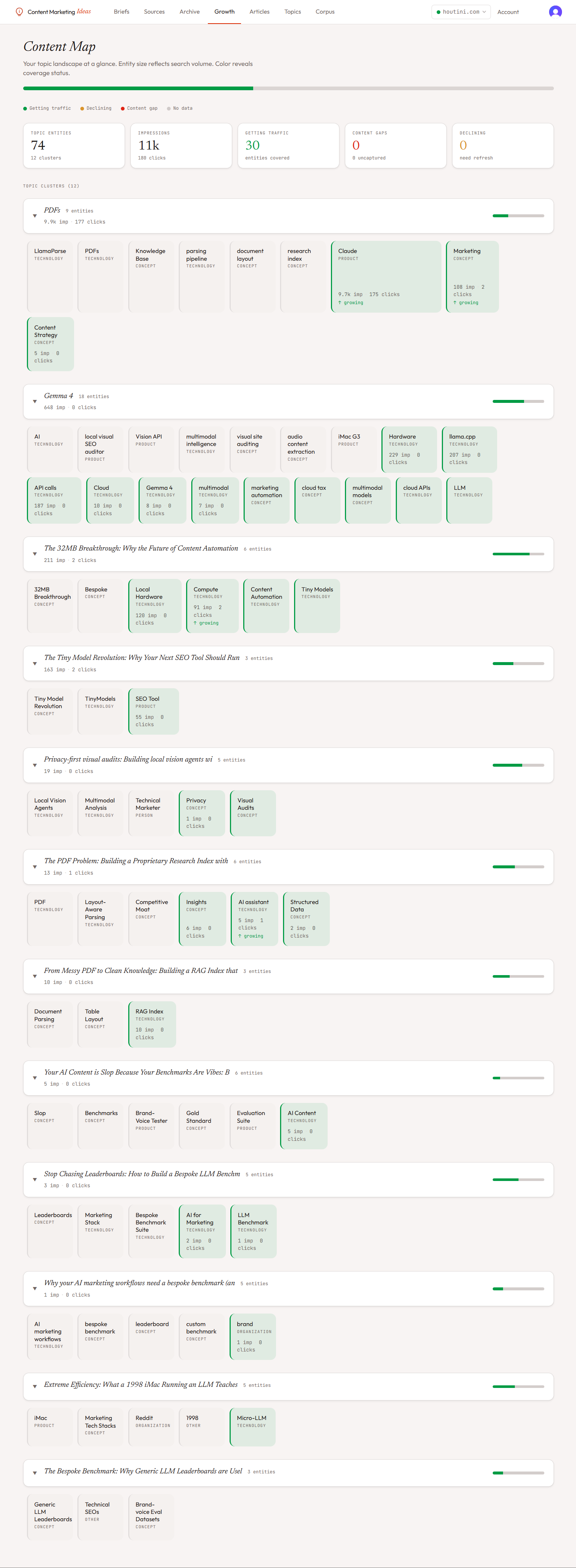
Each topic card in the Topic Explorer shows a 28-day clicks sparkline pulled from GSC. Trending topics turn orange, declining topics turn yellow, gaps stay red.
Growth page
The Growth page generates a strategic content plan from your GSC data — specific actions like "Refresh /post-x to defend position 4 ranking" or "Write a comparison post to capture the 'X vs Y' query you're appearing for at position 18."
Disconnecting
You can disconnect at any time from the same card. We delete the OAuth refresh token immediately, but the historical GSC data we already synced stays in the database so your existing briefs and Topic Explorer don't lose context.